Insurance on Solana

Kiteshield placed in the top 10 out of 250+ participants for the AI track: Hyperdrive winners (opens in new tab)
Back in 2023 I participated in the Hyperdrive hackathon. One of the largest hackathons ever on Solana (1000+ participants).
My submission was a project named Kiteshield, a decentralized insurance platform on Solana with a twist. The idea was that you could insure ANY on-chain transaction on Solana, whether it's a small trade, a long-term investment, or any other type of transaction.
So think of a basic situation like this:
- a transaction where you spend $100 to buy 4
 SOL 355.0% tokens
Now you hold 4 SOL tokens in your wallet, but what if the price of SOL goes down in the next 24 hours? You could lose money.
For that specific transaction, you could buy insurance using Kiteshield that would cover you if the price of SOL drops below a certain threshold in the next 24 hours. If the price does drop, you can claim your insurance and get compensated for your loss. All you have to do is pay a small premium upfront.
Problem
There is no easy way to insure your transactions on-chain. Transactions can be anything, from small trades to long-term investments by purchasing tokens on-chain. The only way to protect these transactions is usually with a stop-loss where you try to limit your loss or by trying to hedge your investment with some other type of investment or trade. Hedging is often done with options trading and this can get quite complicated and time-consuming, especially for not so experienced users. There has always been the struggle to just easily insure your transactions.
Solution
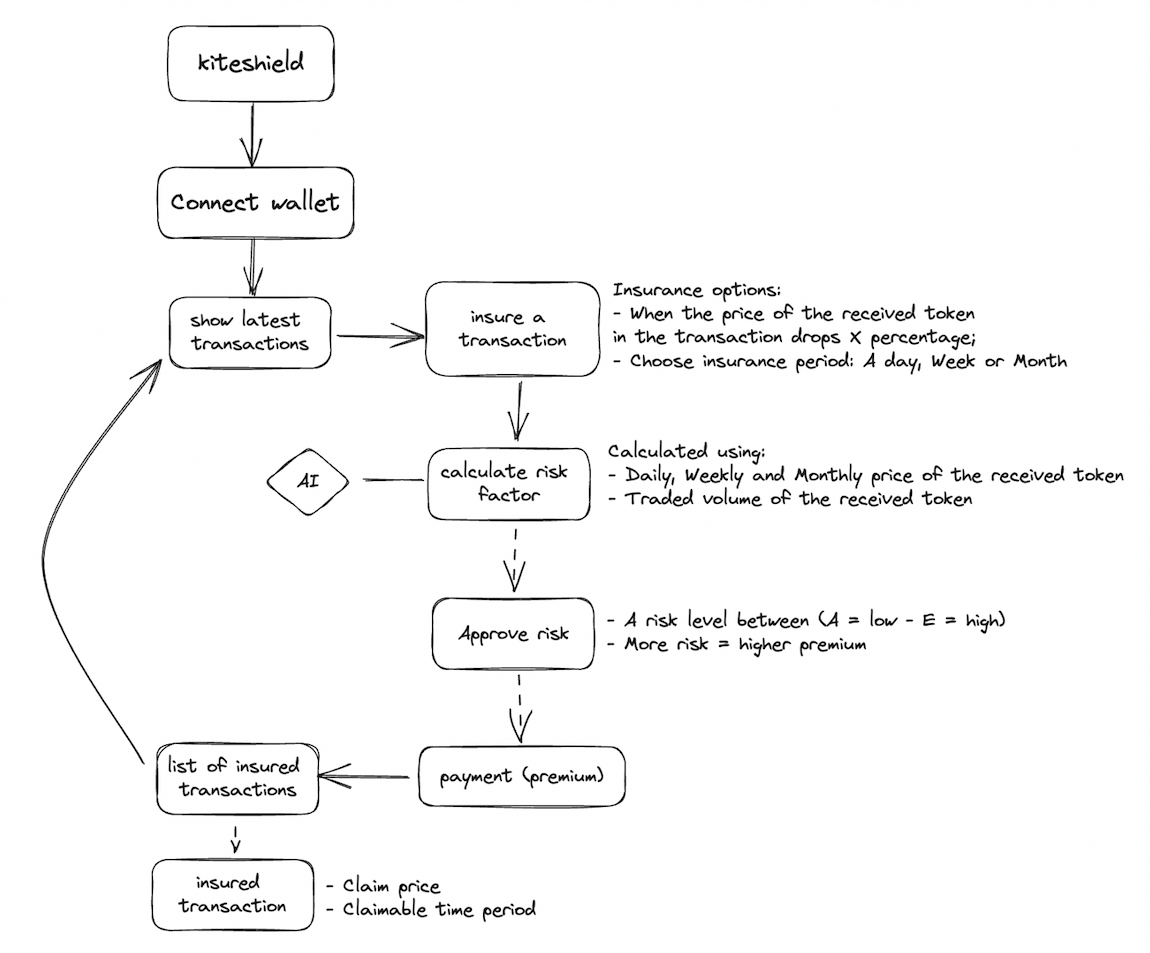
Kiteshield offers an easy alternative, where you can see your recent transactions and have the immediate option to insure a transaction of your choice.
Steps
- Connect with your wallet
- See all the recent transactions
- Select insurance options for a transaction
- Receive the associated risk for the transaction
- Approve the risk and pay the premium
- See your insured transaction
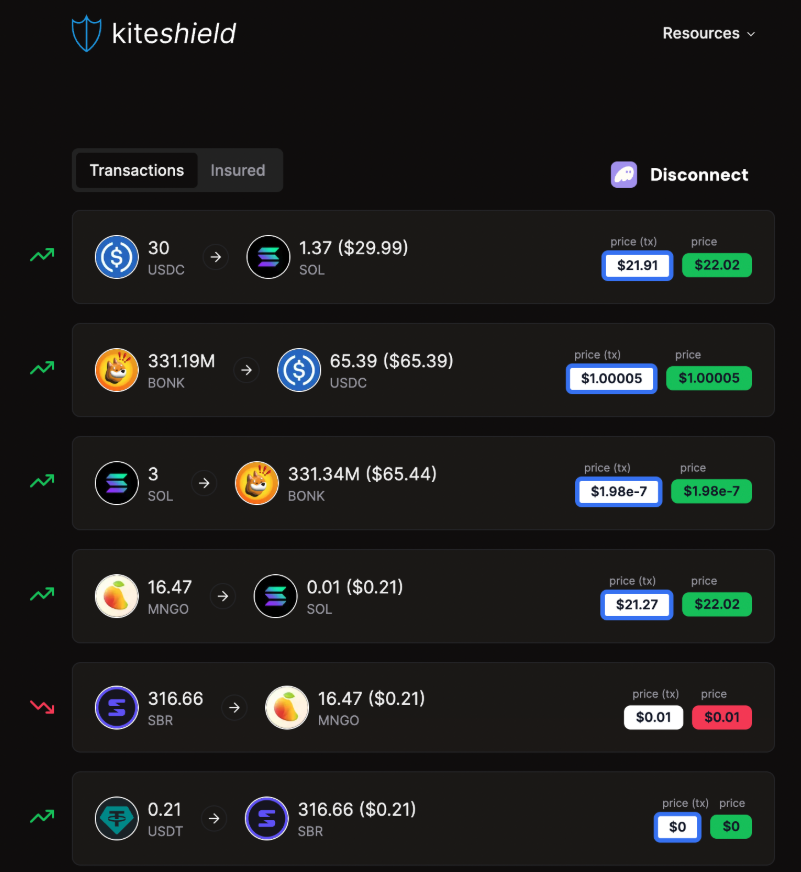
Click on a transaction to start the insurance process.
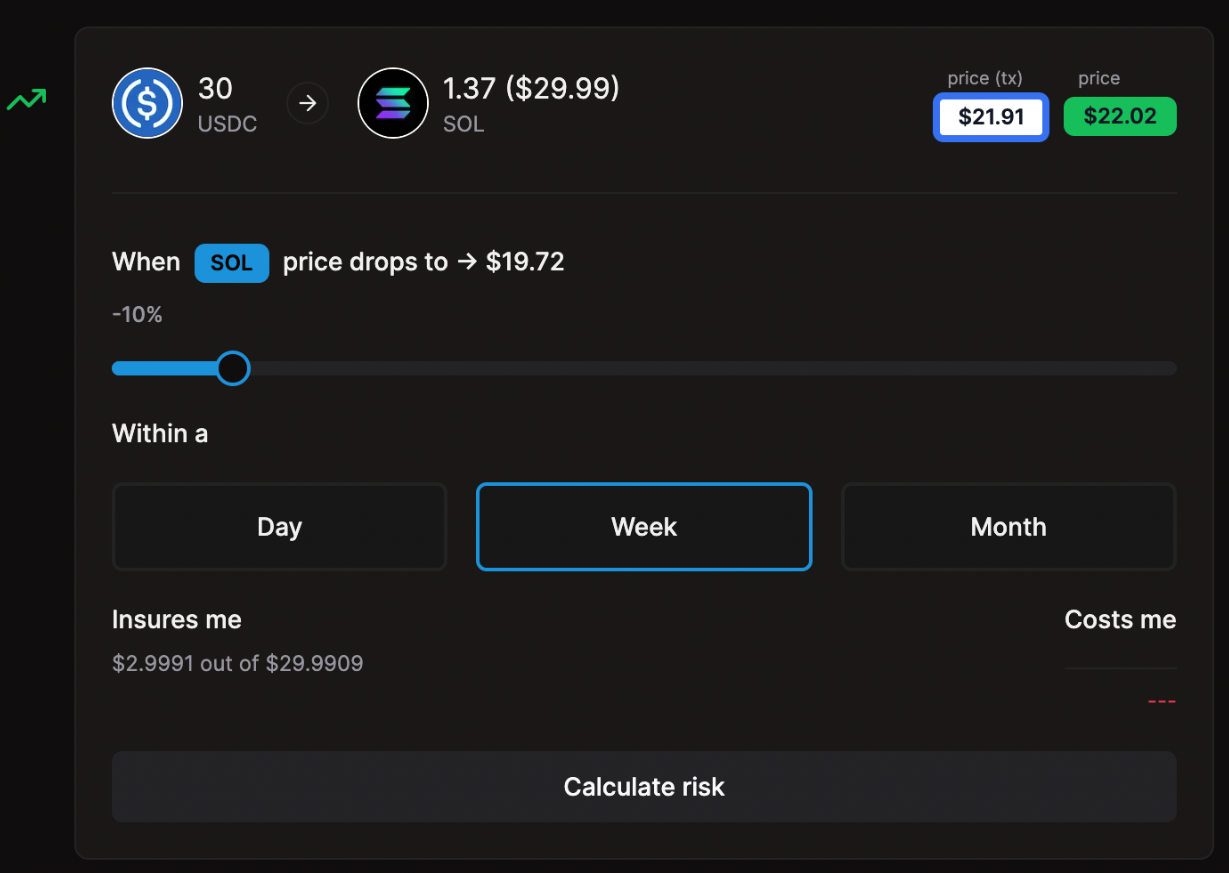
After clicking on a transaction you are able to select:
- The price decrease of the received token that might happen. (i.e. -5%, -10%, -20%)
- The duration period of the insurance. (1 day, 7 days, or 30 days)
In this case, the user is protecting their transaction when the price of the received token (SOL) drops by 10% within a week.
This will end up insuring the transaction for a potential loss of $2.99 out of the total transaction value of $29.99.
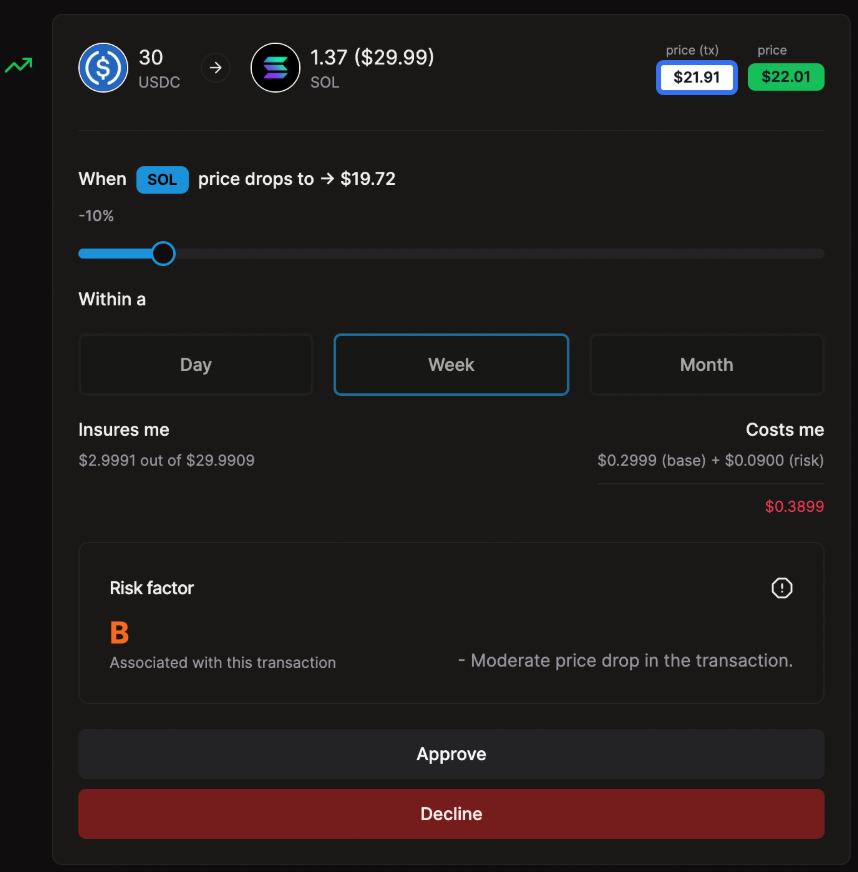
Kiteshield calculates the risk associated with your transaction based on:
- Daily, weekly, and monthly price fluctuations.
- Transaction volume.
You will receive a risk score (A, B, C, D, or E) and a summary of reasons for the score.
The transaction received a risk score B.
Based on the risk calculation the user needs to pay a total premium of $0.3899.
The premium consists of:
- X: 10% of the insured value (base)
- Y: Risk factor (B = 0.3)
premium = X * Y
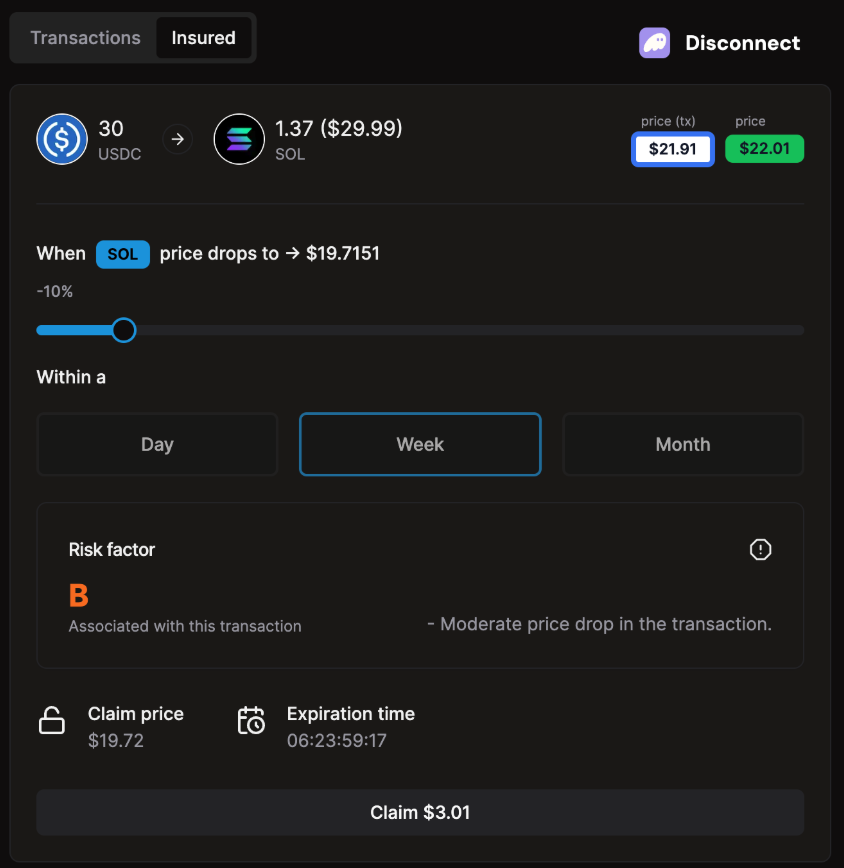
If you're satisfied with the risk assessment and want to insure your transaction, pay the premium using your connected wallet. The premium amount will depend on the transaction's value and selected coverage (including risk).
Here you can see:
- At what price the insured transaction becomes claimable. (claim price)
- At what time the insured transaction expires. (expiration time)
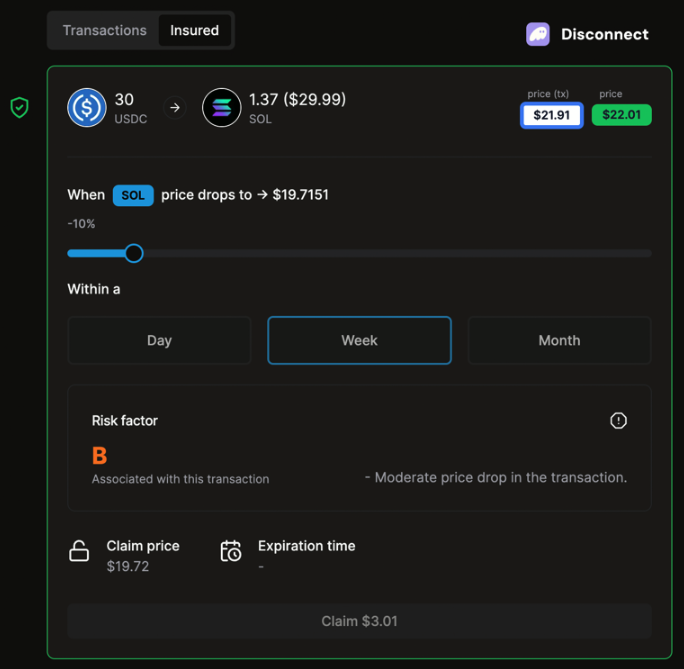
When the transaction becomes claimable, click on the 'claim' button and you are done!